
Kafka consumer lag
See Kafka consumer lag, and why it happens
KafDesk shows every consumer group's lag, per partition and over time, and tells you why a group is behind: stopped consumers, rebalances, a hot partition, stalled commits or consumers slower than producers. Offset resets come with a dry run first.
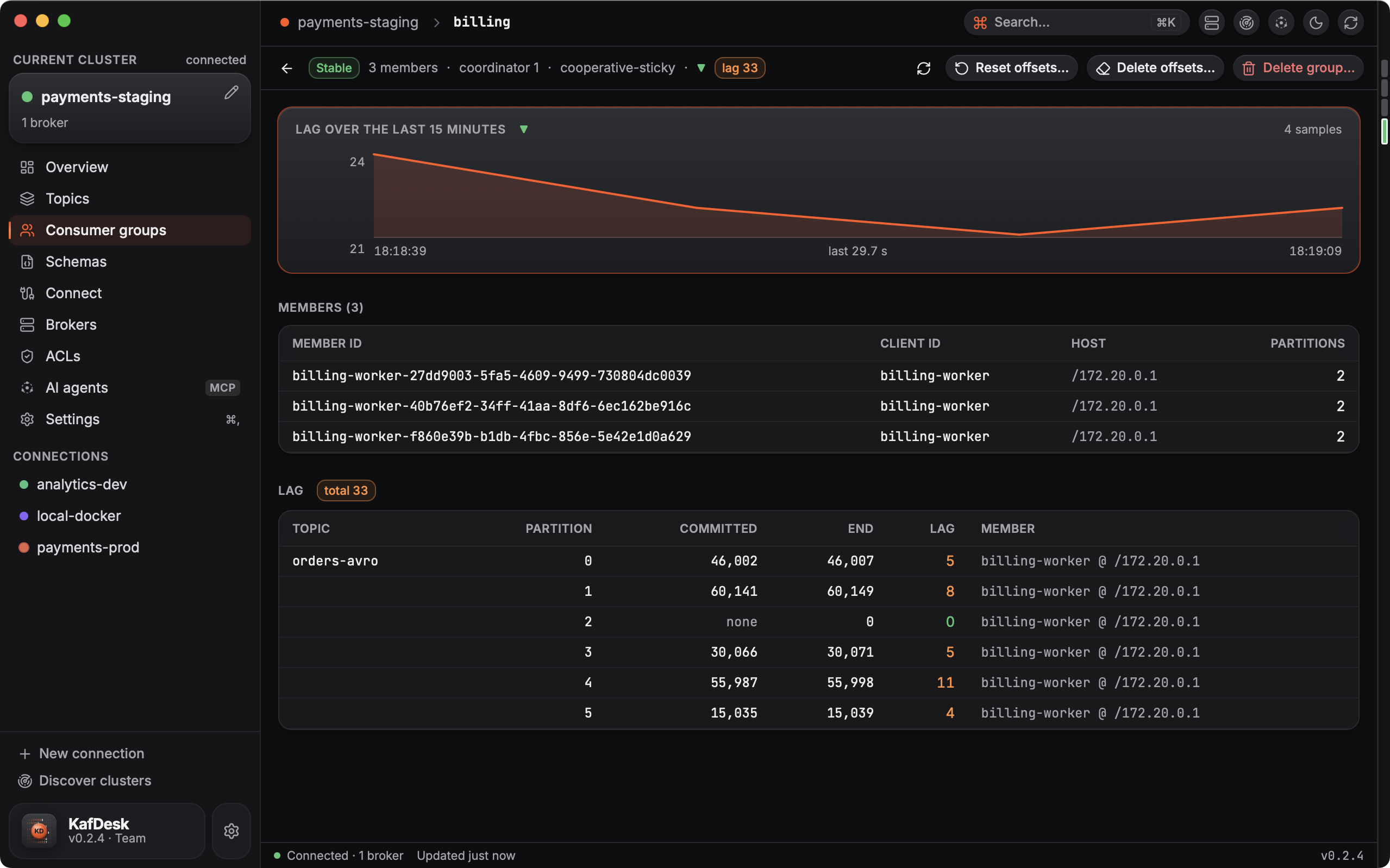
What the lag view shows
- Total lag per group on the Consumer groups list, with lag chips that stand out when it grows.
- Per partition: committed offset, end offset, lag and the member that owns it.
- A trend from local samples, so a short spike and a steady climb look different.
- A plain-language diagnosis of the cause, also available to AI agents as explain_consumer_lag.
Fix it
Reset offsets to the earliest, latest, a time or an exact offset per topic, with a dry run first; on a production connection KafDesk asks for the group name. To reprocess messages from a dead-letter topic, copy them back to the main topic.
Questions
- How do I check Kafka consumer lag?
- Connect KafDesk to the cluster and open Consumer groups: every group shows its total lag, and a group page shows lag per partition, the members and a trend of the last minutes.
- Why is my consumer group lagging?
- KafDesk explains it on the group page: stopped consumers, rebalances, one hot partition, stalled commits or consumers slower than producers, from the offsets and the group state.
- Can I reset consumer offsets safely?
- Yes. Reset to the earliest or latest offset, a time or an exact offset, and see a dry run with the new offset of every partition before anything is applied. Kafka only allows it while the group has no active members.
- Does it alert on stalled groups?
- KafDesk marks groups whose lag grows while their committed offsets stand still, so a stalled consumer is visible without reading numbers.